Difference between revisions of "User:066AspirantArchiver"
| Line 214: | Line 214: | ||
== Planning Your Assault == | == Planning Your Assault == | ||
| − | After gearing up and maybe doing a few missions, you and your allies will have to decide how to make your move. To bring the ODP down, you must use the Retribution's [[File:Nuke.png]] '''Nuclear Warhead Payload''' that has a 4 minute countdown and a 30 second defusal time, located in a locker in the <span style ="color:# | + | After gearing up and maybe doing a few missions, you and your allies will have to decide how to make your move. To bring the ODP down, you must use the Retribution's [[File:Nuke.png]] '''Nuclear Warhead Payload''' that has a 4 minute countdown and a 30 second defusal time, located in a locker in the <span style ="color:#cd5400'''Bridge'''</span>. How you get it to the ODP however, is to be decided by the big shots. Usually, this means either the cell's [[File:InnieIconCommander.png|32px]] '''Commander''' or one of the [[File:InnieIconOfficer.png|32px]] '''Officers''', but if there are none then you must discuss it among your brethren. |
=== Assault Methods === | === Assault Methods === | ||
| Line 220: | Line 220: | ||
Boarding Pods allow you to land inside the ODP, and maybe even next to a [[File:ODPWeakpointGif.gif]] '''structural weakpoint''' on which to plant the bomb. Likewise, it could land you infront of a marine squad or a manned [[File:ChaingunDeployedEast.png]] chaingun turret. The ODP's automated alert systems will also notify the marines of your landing 30 seconds after the fact, so you'll want to move quickly. | Boarding Pods allow you to land inside the ODP, and maybe even next to a [[File:ODPWeakpointGif.gif]] '''structural weakpoint''' on which to plant the bomb. Likewise, it could land you infront of a marine squad or a manned [[File:ChaingunDeployedEast.png]] chaingun turret. The ODP's automated alert systems will also notify the marines of your landing 30 seconds after the fact, so you'll want to move quickly. | ||
| − | Pods are located on the <span style ="color:# | + | Pods are located on the <span style ="color:#0000ff">'''starboard'''</span> and <span style ="color:#00008b">'''port'''</span> sides of the bridge and the Retribution must be within 14 overmap tiles of the ODP to be able to board it with pods. |
To fire them, use the "Launch Pod" verb in the "Vehicles" tab once you're in range. Note that you don't have to be inside a pod to launch it, so you can send a few ahead to act as decoys. | To fire them, use the "Launch Pod" verb in the "Vehicles" tab once you're in range. Note that you don't have to be inside a pod to launch it, so you can send a few ahead to act as decoys. | ||
| Line 231: | Line 231: | ||
#Having ''someone else'' on the station connect an umbilical ''<u>'''from'''</u>'' the ODP to the planet. | #Having ''someone else'' on the station connect an umbilical ''<u>'''from'''</u>'' the ODP to the planet. | ||
#Clear the airlocks from the umbilical to your prefered structural weakpoint. | #Clear the airlocks from the umbilical to your prefered structural weakpoint. | ||
| − | Remember to fill your oxygen tank before setting out and expect to be knocked down by sudden rushes of air unless you have a Salvage Suit and use its [[File:Magboots.png]] magboots. <br>One Pelican is available in each hangar (<span style ="color:# | + | Remember to fill your oxygen tank before setting out and expect to be knocked down by sudden rushes of air unless you have a Salvage Suit and use its [[File:Magboots.png]] magboots. <br>One Pelican is available in each hangar (<span style ="color:#ff00ff">'''starboard'''</span> and <span style ="color:#8b008b">'''port'''</span>) and the Retribution must be within 10 overmap tiles of the ODP to be able to fly to it with Pelicans. Use the "Takeoff/Land" verb in the "Vehicles" tab while sitting in the driver seat to move. <br>If you're piloting, '''remember to land before getting out.''' |
=== Necessary Equipment === | === Necessary Equipment === | ||
| Line 258: | Line 258: | ||
You may also notice tiny blue circles near some of the possible weakpoint spawns, they are locations that Boarding Pods can target and land at. | You may also notice tiny blue circles near some of the possible weakpoint spawns, they are locations that Boarding Pods can target and land at. | ||
|} | |} | ||
| − | |||
| − | |||
== Getting Into Position == | == Getting Into Position == | ||
Revision as of 00:28, 7 January 2026
i got two turntables and a microphone
Quicktravel: https://projectunsc.org/wiki/index.php?title=User:066AspirantArchiver#United_Rebel_Front_.28URF.29_Tutorial
HEY! LISTEN!
64x64 FOR MOBS AND ITEMS THAT USE THE ENTIRE TILE!!
32x32 FOR ITEMS/MACHINERY/ALL ELSE!
^THIS guy was right! Just put |32px on everything that ends up too big, the big sprites will be great for the (eventual) items-other-than-guns page.
HEY! Turns out 32x62 works best to avoid the "big space".
How to make big sprites for guides:
- Open the .dmi you need in Dream Maker.
- Take a picture of the sprite you want, preferably as close to its original 32x32 square as posible.
- Paste the picture in Photopea.
- Depending on how much of the 32x32 .dmi area the sprite uses:
- If the sprite does NOT use the full 32x32 area, center a 64x32 area on the sprite (might end up as 640x320 or so in Photopea). We do this to keep avoid an ugly-looking space when pairing text with images.
- If the sprite uses the full 32x32 area, skip to the next step.
- Use "Magic Wand" to select the background. A tolerance of 50 is usually enough to properly separate the BG, but you may have to lower it for some sprites.
- DEL the selected areas (should be just the BG).
- Export it as a 64 by 64 image
BINGO BANGO BIG SPRITES! Now to do this for all the ones I've alredy done... aha...
If everything looks terrible from this embiggening then put |32px at their ends to bring 'em back to native.
For gifs, use these for layer names to frame them as GIF frames.
_a_frm2,200
_a_frm1,200
_a_frm0,100
They'd be, from top to down: frame 3, 2, 1.
NEVERMIND! Make a gif straight from the .dmi to get the intervals, paste that into Photopea then start making PNGs with the interval names.
Put the TOC on the right side of the screen, figure out the possibility of putting it up after the icons.
Welcome to the server! This guide is meant to guide you through the basics of Halostation 13, from spawning in to getting into fights. While this page focuses on the former, links at the bottom will be provided so you can learn the initial loop of each of the server's factions.
Before you Begin
- To ensure a smooth experience, use these settings.
Character Creation (replace inner headers with bold+big(?) to keep them from apearing on the TOC when going live, keep as-is here for ease of writing)
While most of the Character Creation options, some of them the features are inconsequential, a few Already familiar with Baystation12's character setup page? Skip to the faction guides. [Steal this stuff from the CM13 wiki.]
Some roles spawn with different gear depending on their title, such as Marines with the "EVA Operations Marine" title spawning with armor resistant to the vacuum of space (at the detriment of protection).
Loadout tab is mostly intended? synergyc? to be used for Colonist and Insurrectionist roles, as Covenant roles cannot spawn with loadout items and they also conflict with most UNSC gear (i.e. uniforms, armor, etc.)
everything in the glasses tab overriding the HUDs
As a general rule of thumb:
- UNSC roles use this color scheme.
- Covenant roles use this color scheme.
- URF roles use this color scheme.
Keep in mind that older gamemodes may use different colors for each faction.

Choose Your Faction
After creating your character, you will have to choose who to fight for as each faction has different equipment, gameplay loops and motivations. Each being: Replace these with your own icons showcasing varied kinds of toons.
Use a 3by3 invisi-table. 3by4 if you decide on separating colonists. Icons Nanes Blurbs Colonists Blurb

|

|

|
| The United Nations Space Command | The United Rebel Front | The Covenant |
| The UNSC are the military arm of the Unified Earth Government, fighting both a fight for survival against the Covenant and an insurgency led by the United Rebel Front. | The URF consists of several different groups united by their hatred of the Unified Earth Government, ranging from disgruntled colonists to political extremists. Limited to select gamemodes. |
The Covenant are a hegemony of alien species rallied under the holy decree of the High Prophets: the anihilation of the human race. Active character must be of a Covenant race to play. |
| The colonists caught in the middle, the poor sods... Limited to select gamemodes. |
Enjoy your stay!
Stuff above was meant for the QSG but didn't make it (except the pending URF guide), below is for the combat mechanics page. Remember to add a section for the UNSC to what to do after surviving the defense. Maybe? Or keep that for the Reclamation page? Make a quick dropship flying guide.
 United Rebel Front (URF) Tutorial
Finish the UNSC guide then paste it over and replace as needed, also use the assault bit from cov guide.
The URF consists of several different groups united by their hatred of the Unified Earth Government, ranging from disgruntled colonists fighting for less oppressive taxation to political extremists looking for revenge.
Limited to select gamemodes.
| Beginners are advised to start with the "Insurrectionist" role due to their lack of responsabilities.
Note: This guide uses the assault phase of the Revolution gamemode as an example. Some things may vary in actual gameplay, but the general idea is the same BriefingAttention, fighters of the GSN Retribution. We've come across a local colony with an Orbital Defense Platform and we are to destroy it to prove to the people the UNSC's inability to defend them before going down to ground and spreading our propaganda to get more fighters for our cause. Unfortunately, we had a mole and now they've got a fleet coming to blow the Retribution to bits in about an hour, but if we take that ODP down we'll get more time. Gearing UpDepending on where you're at when the time comes, you may have to follow From the
Now, from the
After you've picked a weapon, remember to vend yourself some ammo for it. You can also store Once you're geared you must also ensure that you're well fed as it will allow you to move without a hunger slowdown and help your blood regeneration, useful for avoiding bullets and not dying from them. The cafeteria is the room west of the armory and has a few vending machines that can get you a quick bite to eat and a voice-operated Making FriendsNo single URF cell can stand alone, which is why you have access to a
Planning Your AssaultAfter gearing up and maybe doing a few missions, you and your allies will have to decide how to make your move. To bring the ODP down, you must use the Retribution's Assault Methods
|


ODPs always have 3 weakpoints, 2 assigned at random and 1 in the Magnetic Accelerator Cannon (MAC) Control Room. The 2 random points can be located in:
You may also notice tiny blue circles near some of the possible weakpoint spawns, they are locations that Boarding Pods can target and land at. |

Getting Into Position
Once you've laid out a plan, you will have to get closer to the ODP. You could move the Retribution towards it, but you risk entering the 7-overmap tile range of its Magnetic Accelerator Cannon and getting your base of operatons blown to hell. Alternatively, you could make use of the bridge's  Long Range Requisitions Console to order a smaller ship to get you there.
! Transports are the suggested ship type at this stage. While other ship types have their own upsides, you won't be able to make proper use of them while the ODP's MAC stands.
- Podcarriers come with boarding pods, if you plan on using those.
- Troop Transports have two hangar bays that will let you bring a pelican along, but you'll have to fly it to the troop transport's hangar first.
Whichever method you choose, keep in mind that you wont be able to move ships until 10 minutes have passed since mission start. Here's a quick guide on how to get the ship there should you the task fall to you when the time comes.
Make your way towards the bridge. Once you're there, find the
Do NOT use the autopilot for this as it does not take space hazards into account and will place your ship directly above the planet (and next to the ODP's MAC). |


Optional Objective: Disable the Magnetic Accelerator Cannon

The MAC is the only means of self-defense that the ODP has and disabling it will let your team safely attack it with the Retribution's own Magnetic Accelerator Cannon to bring it down. While this isn't strictly necessary, this will grant your team another method of bringing the ODP down in case the first assault wave fails, and the control room also has a structural weakpoint where you can plant the bomb. The doors leading into the control room may be blocked by  blast doors, which can be raised from the ODP's Command Deck (the room directly southwest of the control room itself).
What You'll Need
What To Do
|

Defense of the Control Room

If you want to defend this place, know that the control room's small space works both for and against you. Due to the only way inside being tight corridors, turret emplacements (available from the armory's racks and the  Heavy Weapon Vendors) and are a good option for defense.
Chainguns, will be able to lock down one side through sheer volume of fire and keep the enemy from advancing.
Heavy Machine Guns, while having a slower rate of fire, will hit them harder.
To exit turret emplacements you must drop the gun. If you see a black screen while scoped in, adjust the zoom with the buttons in the top left of your screen.


Turret emplacements can deflect bullets as long as you're facing in their direction, but the marines could start throwing grenades or rockets which you may not be able to dodge. Building defenses is an option, at the expense of reducing the space available for movement and making it harder to escape when the time comes.
Construction materials are available in the Engineering section of the Retribution, all the way to the back (i.e. east) of the ship, and a  Construction Materials hardcase will make lugging them around easier.
  Full-height barricades in particular stop
  grenades while also letting you shoot past them, and standard
  plasteel barricades have a chance to stop rockets.
If you plan to build defenses before you plant the nuke, you may also have enough time to plant mines to stall the enemy advance. Heavy Equipment Vendors come with 4 types, all having a 4x4 activation range and requiring 3 seconds to plant and another 5 seconds to arm. They'll hide once armed and can be triggered by anyone regardless of faction, so tell your teammates where you're placing them.
Explosive mines are a classic area denial method, no special tricks but they'll do just fine.
EMP mines can disable active camo, full-body shields and prosthetic organs, the latter potentially resulting in a heart attack. For best effect, victims must be close to the mine when it triggers.


There's also the more powerful types, which require an oxygen supply and airtight protection to shield you from their effects:
Incendiary mines will create a ball of fire around it and raise the room temperature to the point of burning through marine and ODST armor, even if the room's vented.
Gas mines lack an inmediate effect, but anyone without internals exposed to their gas will suffer damage to their liver over time. Tell your teammates if you're planning to use these.


Getting Out
Assuming you manage to find a weakpoint, plant the bomb and hold against the heretic onslaught, you will need an escape method. If you can't have a phantom fly you home, your remaining options are:
 Find an escape pod bay and launch it to the planet.
 Make your way to an umbillical and connect to the colony. All umbillicals are located on the northern ends of the station however, so in most cases you'll need to move quickly.
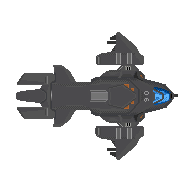 Steal a dropship to escape AND deny the enemy an asset. Be prepared to adapt however, as by the time you reach the hangar you could be met by an empty bay or a group of evacuating marines.


Whichever option you choose, you will have 2 minutes (plus however many seconds were left on the bomb as you left) to leave as the platform's superstructure collapses. If you're still on the ODP as it deorbits, you'll be subject to a hefty (yet surviveable) amount of harm. Should you manage to stabilize yourself, you may radio for evac or use an escape pod to land on the colony. Note that using damaged escape pods will cause further harm, and that you will have to repair them to be able to use them safely.
Once you are geared, in position and have your assault and escape plans, all that's left to do is take your leave towards the ODP. Stick with your squad, watch your firing lanes and don't forget the bomb. Once the ODP goes down, you'll be able to start seizing File:CapturePoint.png Capture Consoles around the city to spread your influence and convince the citizens of the colony to join your cause.
Good Luck, Have Fun!
Game Mechanics
General
Population Balance
Keeps one side from having 6 elites or 30 marines. Does not take into account mobile spawns.
 HUD Drops

Officers get to call in supply drops.
Note: Personalized drops only take into account items you have equipped (hands included) at the time of opening or refreshing the pop-up tab.
Combat
Automatic Reloads
With a magazine in your active hand, you can reload your weapon with tactical and speed reloads:
- With grab intent enabled, you can do a tactical reload that will switch the magazine in your weapon with the one in your active hand. [specify times? maybe not...]
- With harm intent enabled, you can do a [name of reload that panic drops the mag] reload which is faster than a tactical reload but will drop the loaded magazine on the ground.
File:CrosshairFiring.png Click-dragging
Lets you redirect fire but wont hit as often. Also screws you if you're fighting flyers.
 Executions


Melee weapons can be used to execute unconscious enemies, allowing you to ensure they cannot be resurrected (unless they have already ghosted). To do this, click on a prone player with a melee weapon on your active hand while targetting their chest with grab intent. If you have done it correctly and the target is not braindead, you will receive a message indicating the beginning of the execution and must remain still for X seconds to complete it. Once it is finished, smack sound. /the executed player will be forcibly ghosted.
Dodge Rolling
e
o

Dodge rolling can be used to evade attacks, or quickly move across obstacles such as tables. For most species the rolling distance is 2 tiles, but some such as the T'vaoans To use it, you must create macros for the following verbs: - "roll-north" - "roll-south" - "roll-east" - "roll-west"
Notes
le greyscreen: icon: icons/turf/flooring/alium.dmi icon_state: jaggy
THIS has all the guns: https://github.com/YourPalHolidays/HaloSpaceStation13/tree/64981415f90b50a277f9a05a1185c9fcb1a0f0ba/code/modules/halo/weapons
THIS has all the vendors: https://github.com/X0-11/HaloSpaceStation13/blob/d7ea68d597b10e0b7a8b6f76f48bca84923b5034/code/modules/halo/machinery/gunvendors.dm
THIS has all the vehicles (sprites and values): https://github.com/YourPalHolidays/HaloSpaceStation13/tree/64981415f90b50a277f9a05a1185c9fcb1a0f0ba/code/modules/halo/vehicles/types
THIS has all the URF subfaction gear (DMIs) https://github.com/HaloSpaceStation/HaloSpaceStation13/tree/alpha/code/modules/halo/factions/npc_factions/gear
For gamemode pages:
Phase name Overview Table with what each faction can (should?) do Unknown Hazard Effects:
Asteroid Field - hurls meteors at your ship
Gas Cloud - EMPs random parts of your ship (and makes you harder to hit? confirm its not fluff)
Engine Overcharge? - increased ship speed, random explosions on ship
Paste this page into one gamemodes page.
https://projectunsc.org/wiki/index.php?title=Firefight
Old SMAC Geminus
https://projectunsc.org/wiki/index.php?title=Geographical_Intelligence
Spawn points: Mess Hall, Cryo, Bunks(?)
Reckon you could do a pretty sick fade-in effect with an image of each faction rallying for a raid. Remember Raze? Yeah, something like that. Replace the ARK with a fitting pict with enough transparency.
...though it may look very scuffed on Mobile.
 Covenant Tutorial

The Covenant are a hegemony of alien species rallied under the holy decree of the High Prophets: the anihilation of the human race.
Scrapyard
Use file|width=1XX% to ensure it is relative to monitors and phones.
file|500px
 HEY! LISTEN!
| The United Nations Space Command are the strong arm of the Unified Earth Government, fighting both an extinction war against the Covenant and an internal insurgency fronted by the United Rebel Front. | The Covenant are a hegemony of alien species rallied under the holy decree of the Prophets: the anihilation of the human race. | The United Rebel Front are several groups of ex-UNSC, black marketeers or simple outer colonists vying to overthrow the Unified Earth Government due to their lack of support and ovewrhelming taxation. |
|---|
| Header A | Header B | Header C |
|---|---|---|
| Cell A1 | Cell B1 | Cell C1 |
| Cell A2 | Cell B2 | Cell C2 |
| The United Nations Space Command are the strong arm of the Unified Earth Government, fighting both an extinction war against the Covenant and an internal insurgency fronted by the United Rebel Front. | style="color:green; background-color:#ffffcc;" cellpadding="10" |
| The Covenant are a hegemony of alien species rallied under the holy decree of the Prophets: the anihilation of the human race. | |
| The United Rebel Front are several groups of ex-UNSC, black marketeers or simple outer colonists vying to overthrow the Unified Earth Government due to their lack of support and ovewrhelming taxation. |
| The United Nations Space Command are the strong arm of the Unified Earth Government, fighting both an extinction war against the Covenant and an internal insurgency fronted by the United Rebel Front. | The Covenant are a hegemony of alien species rallied under the holy decree of the Prophets: the anihilation of the human race. | The United Rebel Front are several groups of UNSC defectors, black marketeers or simple outer colonists vying to overthrow the Unified Earth Government due to their lack of support and ovewrhelming taxation. |
|---|
| File:7-62mag.png | Holds thirty (30) 7.62mm caliber rounds. |

| Holds thirty (30) 7.62mm caliber rounds. |
Links saved from the QSG before rewritting:
These are the guides that are specific to halo station which cover some of the server's unique features such as the overmap flying
all the ship and base maps (which should have wikis soon, if they don't already!)
- UNSC Iron Will - THIS one's the Op Treb ODST assault craft!
- SDV Vindicative Infraction
Quicktravel: https://projectunsc.org/wiki/index.php?title=User:066AspirantArchiver#United_Rebel_Front_.28URF.29_Tutorial